Why Good UI/UX Starts Before the Design

Many website problems that look like design problems start earlier: unclear goals, a vague audience or content written last. Good UI/UX settles those before anyone opens Figma.

Article

01
Agree on What the Site Must Do
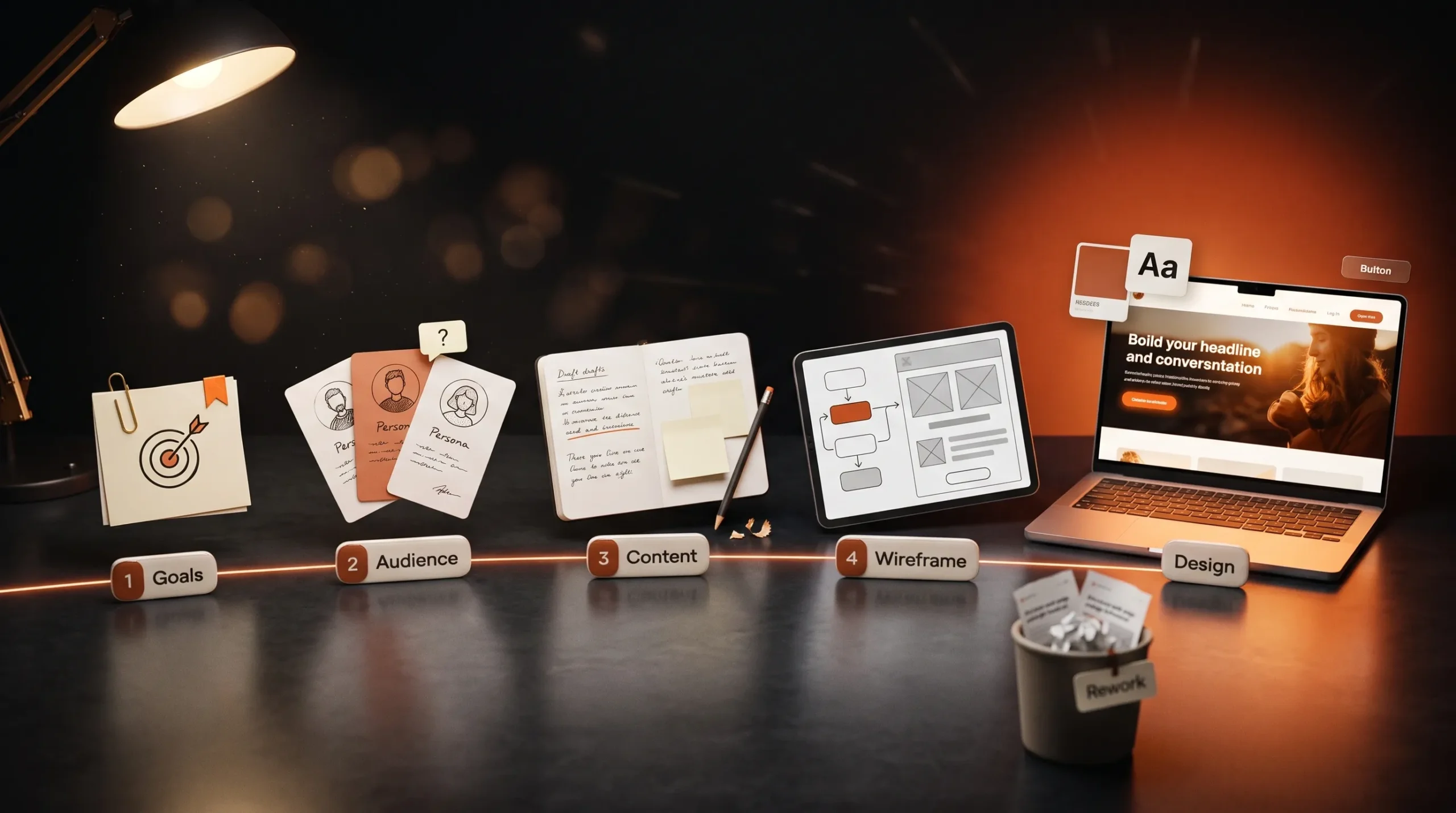
Every page needs one job: bring in an enquiry, sell a product or answer a question. Before design starts, write down the main action you want visitors to take and how you will measure it. Without that, design decisions turn into matters of taste, and reviews become debates about colours instead of results.
02
Know Who You're Designing For
Describe your typical visitor in a few lines: who they are, what they already know and what makes them hesitate. Ask existing clients or your sales team which questions come up before people buy. Those questions become the structure of the site, and the words visitors use become its copy.
03
Write the Content Before the Layout
Designing around placeholder text hides problems until launch week. Then the real text is too long for its boxes, or the key message has nowhere to go. Draft the main headings and key messages first, even roughly. The layout then follows the content, and every section has a reason to be there.
04
Map the Journey, Then Wireframe
Sketch how a visitor moves from landing on the site to contacting you. Note which pages they see, in what order, and what they need on each one. Turn that into simple wireframes that show structure without colour or imagery. Wireframes take minutes to change, so this is the cheapest point to fix a confusing flow.
05
What Goes Wrong When You Skip It
Skipped planning tends to show up later as rework: pages redesigned after launch, copy rewritten to fit the layout and features nobody uses. That rework takes longer than the planning would have. It is why our Discover phase comes first. We interview your team, study your competitors and agree on what the site must say, and you approve the design before we build.
06
What Is the Difference Between UI and UX?
UX is how the site works for the visitor: its structure, its flow and what each page has to do. UI is how it looks and responds: type, colour, buttons and layout. Good UX decides what goes where, and good UI makes it clear and pleasant to use.
07
Do Small Websites Need Wireframes?
Yes, even a five-page site. Wireframes are quick to make and show the order of content on each page before design starts. Feedback is then about structure while it is still cheap to change.

Your Website Should Move With Your Brand.

A redesign isn’t always about making things look newer. It’s about making your website clearer, more useful and more aligned with where your brand is today.

More Ideas. Better Websites.

More thoughts on web design, user experience and building digital experiences that stand out.

What Makes a Website Feel Premium?

Visitors decide in the first few seconds whether a site feels premium. That decision rests on six details: type, spacing, imagery, motion, speed and words.

Custom Website vs Template: What’s the Real Cost?

A template gets a site live quickly and cheaply. A custom design costs more upfront and fits your business exactly. The useful comparison is what each costs over the next two or three years.

Why Good UI/UX Starts Before the Design

Many website problems that look like design problems start earlier: unclear goals, a vague audience or content written last. Good UI/UX settles those before anyone opens Figma.